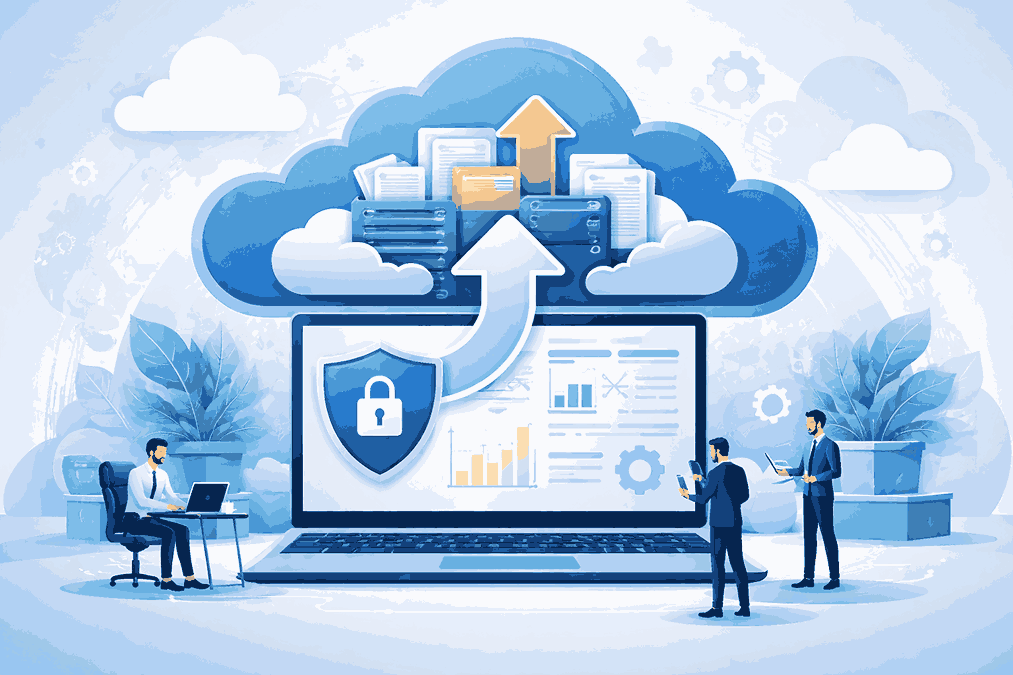
Data has become one of the most valuable assets for individuals and organizations alike. From personal files and emails to business documents and critical databases, digital information drives daily operations.
However, data loss caused by hardware failure, cyberattacks, accidental deletion, or natural disasters remains a constant risk. This is where cloud backup software plays an important role in protecting data and ensuring business continuity.
Cloud-based backup solutions have changed the way data is stored and recovered. Instead of relying only on physical storage devices, users can now secure their information in remote data centers, making it accessible and recoverable when needed.
Understanding Cloud Backup Software
Cloud software is designed to create copies of data and store them securely in a cloud environment. These backups are maintained on remote servers rather than on local storage devices such as hard drives or USBs. The software manages the backup process automatically, ensuring that data is regularly updated and protected.
Unlike traditional backup methods, cloud backup allows data recovery from virtually anywhere, provided there is an internet connection. This flexibility makes it especially useful for remote teams, distributed systems, and modern digital workflows.
Why Cloud Backup Is Essential Today
The increasing volume of digital data has made manual backup methods impractical. Devices can fail without warning, and ransomware attacks have become more frequent. Cloud backup software addresses these risks by providing automated, off-site data protection.
Another key advantage is resilience. Since data is stored in geographically distributed locations, the risk of total data loss due to local incidents is significantly reduced. This approach supports both personal users and organizations looking for dependable data recovery solutions.
Key Features of Cloud Backup Software
Effective cloud backup solutions share several important features that enhance reliability and usability.
Automated Backup Scheduling
Automation ensures that data is backed up at regular intervals without user intervention. This reduces the risk of forgetting manual backups and helps maintain up-to-date data copies.
Data Encryption and Security
Security is a critical aspect of cloud backup. Encryption during data transfer and storage helps protect sensitive information from unauthorized access.
Version Control and File Recovery
Many cloud backup systems allow users to restore previous versions of files. This is especially useful in cases of accidental deletion or unwanted changes.
Scalability and Storage Flexibility
As data grows, cloud backup storage can scale without the need for additional physical hardware. This flexibility makes cloud backup suitable for both small users and large organizations.
Types of Cloud Backup Approaches
Cloud backup solutions are not one-size-fits-all. Different backup strategies are used depending on data type and recovery requirements.
File-level backup focuses on documents, images, and user-generated files. System-level backup includes operating systems and configurations, allowing full system recovery. Incremental and differential backups reduce storage usage by saving only changes made since the last backup.
Cloud backup software often supports multiple approaches to accommodate different recovery objectives.
Common Challenges in Cloud Backup
Despite its advantages, cloud backup also presents challenges. Internet bandwidth limitations can affect backup speed, especially for large datasets. Initial backups may take longer due to the volume of data being transferred.
Another concern is data management. Without proper configuration, users may back up unnecessary files, leading to higher storage consumption. Understanding retention policies and backup scope helps optimize performance and storage use.
Best Practices for Using Cloud Backup Software
To get the most value from cloud backup software, users should start by identifying critical data that requires protection. Not all data needs the same backup frequency or retention period.
Regularly testing data recovery is another important practice. A backup is only useful if it can be restored successfully. Periodic recovery tests help ensure data integrity and system readiness.
It is also advisable to maintain multiple backup layers. Combining cloud backup with local backups adds an extra layer of protection, especially for high-priority data.
Cloud Backup and Disaster Recovery
Cloud backup plays a vital role in disaster recovery planning. In the event of data loss due to cyber incidents or system failures, cloud-based backups enable faster recovery and reduced downtime.
While backup focuses on data protection, disaster recovery emphasizes restoring operations. Together, these strategies help organizations maintain operational stability and minimize disruption.
Long-Term Benefits of Cloud Backup Software
Over time, cloud backup software simplifies data management and reduces dependence on physical storage infrastructure. It supports remote work environments, improves data accessibility, and enhances overall data resilience.
From a strategic perspective, cloud backup also supports regulatory compliance and long-term data retention requirements. With automated processes and centralized control, managing backups becomes more efficient and reliable.
How To Secure Your Data In Cloud
As digital data continues to grow, protecting it becomes increasingly important. Cloud backup software offers a practical and flexible solution for safeguarding data against loss, corruption, and unexpected events. By automating backups, improving accessibility, and enhancing recovery capabilities, cloud backup has become a core component of modern data protection strategies.
Understanding how cloud backup works and applying best practices ensures that valuable data remains secure, accessible, and ready for recovery when it matters most.
Read More Where to Get MacBook Air Screen Repair in Dubai (Same-Day Service Available)
Frequently Asked Questions
What is cloud backup software?
Cloud backup software is used to copy and store data on remote servers, allowing users to recover files in case of data loss or system failure.
How does cloud backup differ from local backup?
Cloud backup stores data off-site in remote data centers, while local backup relies on physical devices like external hard drives or servers.
Is cloud backup software secure?
Most cloud backup solutions use encryption and access controls to protect data during transfer and storage.
What types of data can be backed up to the cloud?
Cloud backup can protect files, folders, system images, databases, and application data depending on the configuration.
How often should cloud backups run?
Backup frequency depends on data usage, but automated daily or real-time backups are commonly used for critical data.