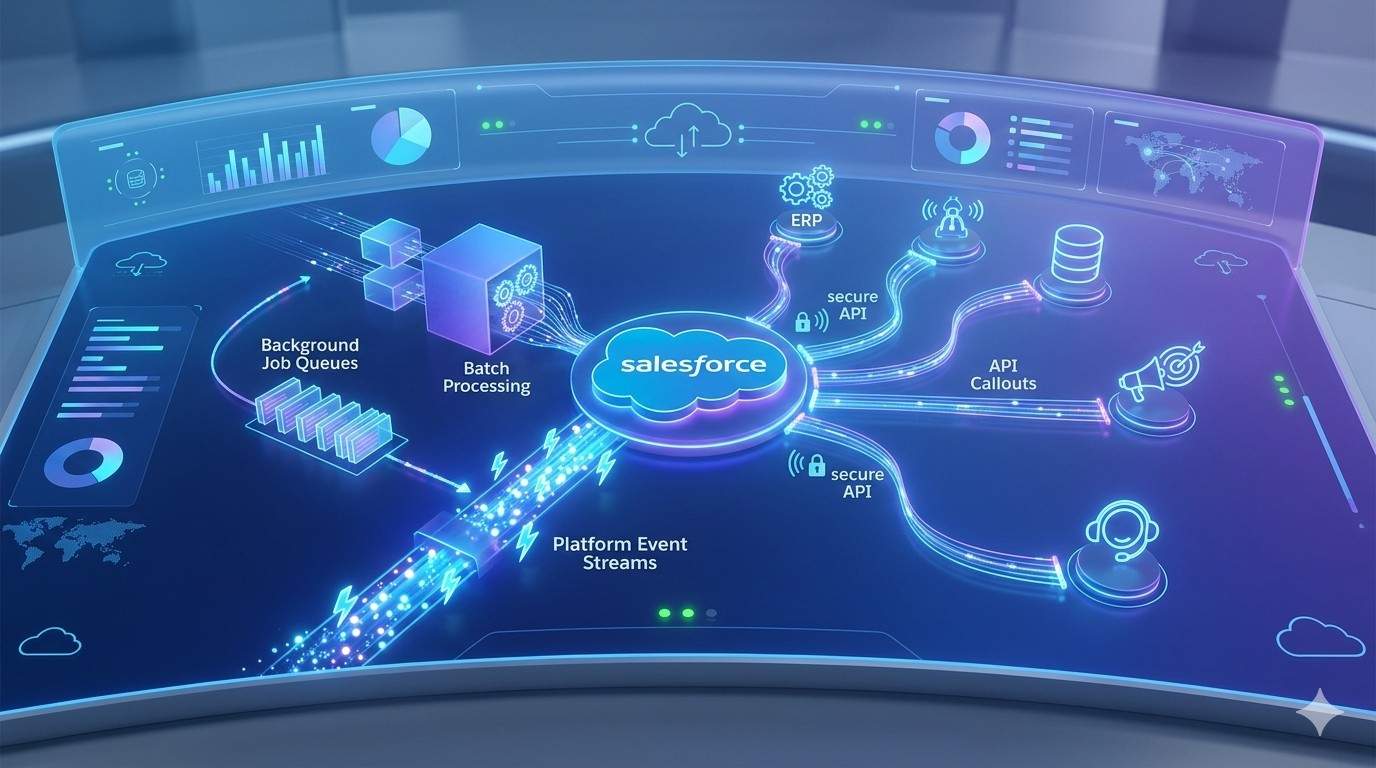
Modern enterprises demand speed, resilience, and scalability from their CRM platforms. Salesforce sits at the center of sales, service, and marketing operations. However, as integrations expand and transaction volumes grow, synchronous processing becomes a bottleneck. Therefore, asynchronous processing patterns in Salesforce play a critical role in maintaining performance and stability.
In complex integration ecosystems, real-time calls between systems often create delays and failures. For example, during an Aircall Salesforce Integration, call logs, recordings, and activity data may sync continuously. If every transaction runs synchronously, performance degrades quickly. Instead, asynchronous processing allows Salesforce to queue tasks and process them independently. As a result, user experience remains smooth while integrations scale efficiently.
Understanding asynchronous design is essential for architects and administrators. It ensures that Salesforce remains responsive even under heavy loads.
Why Synchronous Processing Creates Limitations
Synchronous processing requires one system to wait for another before completing a transaction. This model works for small workloads. However, it struggles under enterprise-scale operations.
For instance, when a user updates an opportunity, Salesforce may trigger multiple external calls. If any system responds slowly, the entire process delays. Consequently, users experience longer load times.
Moreover, synchronous transactions increase the risk of timeouts. Salesforce enforces strict governor limits to maintain platform health. When limits are exceeded, transactions fail.
Therefore, relying solely on synchronous logic restricts scalability.
The Power of Asynchronous Processing
Asynchronous processing decouples execution from immediate user interaction. Instead of completing everything instantly, Salesforce places tasks into queues. These tasks run independently in the background.
This approach delivers several advantages. First, it improves performance. Users do not wait for external systems to respond. Second, it increases reliability. If a task fails, it can retry without affecting user sessions. Third, it supports high-volume operations without blocking the interface.
Asynchronous design shifts focus from speed alone to resilience and scalability.
Core Asynchronous Tools in Salesforce
Salesforce provides several native tools for asynchronous processing. Each tool serves different use cases.
Future Methods
Future methods allow developers to run processes in the background. They are simple and effective for callouts and non-critical updates.
However, future methods have limitations. They cannot return values directly. Additionally, they have restrictions on chaining.
Therefore, they suit lightweight background tasks.
Queueable Apex
Queueable Apex provides greater flexibility than future methods. Developers can chain queueable jobs, allowing sequential processing.
Queueable Apex also supports complex data structures. Consequently, it is ideal for integration-heavy scenarios.
Moreover, administrators gain better monitoring capabilities.
Batch Apex
Batch Apex handles large data volumes efficiently. It processes records in manageable chunks.
For example, updating thousands of records overnight works well with batch jobs. Each chunk executes independently, reducing risk.
Batch Apex also provides start, execute, and finish methods. This structure enhances control and visibility.
Scheduled Apex
Scheduled Apex runs jobs at predefined intervals. It automates recurring processes such as data cleanup or synchronization.
By combining scheduled and batch processing, organizations maintain consistent data quality.
Platform Events and Event-Driven Architecture
Event-driven architecture strengthens asynchronous capabilities significantly. Instead of direct system-to-system calls, Salesforce publishes events.
Other systems subscribe to these events and react accordingly. This pattern reduces tight coupling.
Platform events support high-volume messaging. They also ensure near real-time responsiveness without blocking transactions.
Change Data Capture extends this concept further. It broadcasts record changes automatically.
Together, these tools support scalable integration ecosystems.
Asynchronous Callouts to External Systems
External integrations often require API callouts. Running these callouts synchronously risks timeouts.
Asynchronous callouts allow Salesforce to initiate external communication without delaying users. Queueable Apex commonly supports this pattern.
If the external system fails, retry logic ensures resilience. Additionally, error logging captures failure details.
This approach improves integration reliability while maintaining platform performance.
Handling Governor Limits Strategically
Governor limits protect Salesforce infrastructure. However, they require careful architectural planning.
Asynchronous processing reduces pressure on synchronous limits. For instance, long-running operations move to background jobs.
Developers must still monitor heap size, CPU time, and query limits. Efficient code remains essential.
Moreover, splitting workloads into smaller batches prevents unexpected failures.
Strategic limit management ensures sustainable scalability.
Data Consistency in Asynchronous Systems
Asynchronous processing introduces timing considerations. Since tasks run independently, data may update at different times.
Therefore, architects must design for eventual consistency. This concept accepts temporary delays between systems.
Clear status tracking fields help manage process visibility. For example, integration status flags show pending or completed states.
Additionally, idempotent logic prevents duplicate updates. Each transaction should produce consistent results regardless of retries.
Data consistency planning prevents confusion and reporting errors.
Monitoring and Observability
Visibility is critical in asynchronous environments. Without monitoring, failures remain hidden.
Salesforce provides tools such as the Apex Jobs page and debug logs. These tools help administrators track background processes.
Integration dashboards offer deeper insights. Error rates, processing times, and queue backlogs reveal system health.
Automated alerts notify teams immediately when issues arise.
Observability transforms reactive troubleshooting into proactive management.
Error Handling and Retry Mechanisms
Errors are inevitable in distributed systems. Therefore, robust retry logic becomes essential.
Queueable jobs can re-enqueue failed tasks. Batch jobs log partial failures without stopping entire processes.
Moreover, custom logging frameworks capture error details for analysis.
Graceful error handling prevents cascading failures. Instead of breaking workflows, systems recover smoothly.
This resilience builds trust in automation strategies.
Security in Asynchronous Processing
Security must remain a priority. Background jobs still access sensitive data.
Authentication tokens for external callouts should rotate regularly. OAuth flows protect API communications.
Additionally, field-level security rules must apply consistently.
Encrypted data transmission prevents exposure during integration.
Security governance ensures compliance across asynchronous workflows.
Real-World Use Cases
Asynchronous patterns support numerous business scenarios.
High-volume lead imports run efficiently through batch jobs. Marketing campaign updates process in the background.
Customer support integrations sync call records without blocking agents.
Analytics platforms receive data streams through event-driven updates.
In each case, asynchronous design maintains speed and reliability.
Designing for Scalability
Scalability requires intentional architecture. Developers should evaluate workload size, timing requirements, and dependency levels.
Combining queueable, batch, and event-driven patterns creates flexible integration frameworks.
Avoid overusing synchronous triggers for complex operations.
Instead, design triggers to enqueue background jobs.
This separation protects user experience and system stability.
Best Practices for Implementation
To maximize success, organizations should follow structured guidelines.
First, define clear processing boundaries. Identify which operations require real-time updates.
Second, document integration flows thoroughly. Clear documentation simplifies troubleshooting.
Third, test asynchronous logic under realistic loads. Performance testing reveals hidden bottlenecks.
Fourth, implement version control and deployment automation.
Finally, maintain cross-team collaboration between developers and administrators.
These practices ensure sustainable asynchronous ecosystems.
Conclusion
Asynchronous processing patterns in Salesforce enable performance, resilience, and scalability in modern enterprises. While synchronous logic may seem straightforward, it introduces delays and risk under heavy workloads.
By leveraging tools such as Queueable Apex, Batch Apex, Platform Events, and Scheduled jobs, organizations build robust integration frameworks. Moreover, event-driven architectures reduce coupling and improve responsiveness.
Careful attention to monitoring, security, and error handling strengthens long-term reliability.
Ultimately, asynchronous design transforms Salesforce from a transactional platform into a scalable enterprise engine. Organizations that embrace these patterns gain flexibility, stability, and competitive advantage in today’s digital landscape